About this pack
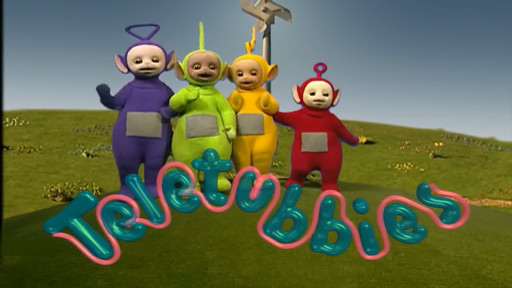
TELETUBBIES - THEME SONG
Voice pack for The Choicer Voicer 5.2
First time playing? Start here, everything you need is below, step by step.
--------------------------------------------------
WHAT THE GAME IS
--------------------------------------------------
You pick a character, the game plays one of their original lines, then you record your own version of that line into your microphone. The game scores how close you got and plays your takes back over the scene at the end.
This pack gives you 34 lines across 5 voices from the Teletubbies theme song.
--------------------------------------------------
STEP 1 - OPEN THE GAME ONCE BEFORE ANYTHING ELSE
--------------------------------------------------
Launch The Choicer Voicer, wait for the main menu, then close it.
This matters: the game creates its own content folders on first run. If you copy the pack in before the game has made them, you have nowhere to put it.
--------------------------------------------------
STEP 2 - FIND THE packs_voice FOLDER
--------------------------------------------------
Press Win + R, paste this line, and hit Enter:
%AppData%\YeahMaybe\ChoicerVoicer\game\packs_voice
That opens the folder directly.
--------------------------------------------------
STEP 3 - EXTRACT THE PACK
--------------------------------------------------
Right-click the downloaded zip, choose Extract All, and pick a folder you can find again, like your Desktop.
You get a folder called Teletubbies - Theme Song containing 106 files. That is the whole pack.
--------------------------------------------------
STEP 4 - COPY IT IN
--------------------------------------------------
Drag that whole folder into the packs_voice folder from Step 2.
The folder must go directly inside packs_voice, not inside some other pack folder. If it ends up nested deeper, the game will not see it.
--------------------------------------------------
STEP 5 - PLAY
--------------------------------------------------
S